Building a website once meant hiring developers, learning code, and spending weeks just to get things live.
That’s changed. A lot.
Today, automated website builders let you create a complete, SEO-ready site in minutes using AI and simple tools. They assist with basic SEO in the background, in addition to design.
And here’s why that matters:
👉 A good-looking website is not enough
👉 Without SEO, people won’t find it.
With modern website builders now combining AI automation + built-in SEO tools, it is easier than ever to rank on search engines.
That’s exactly why these tools focus. They take care of the complex tasks in the background, saving you time and effort.
So, ask yourself, Do you really need coding skills to rank on Google today?
The answer is a simple "no."
A new wave of automated builders now does the heavy lifting for you, from layout to SEO setup. What once took weeks can now be done in a fraction of the time.
Now, let’s explore how it all works.
What Are Automated Website Builder Tools?
At their core, automated website builders are AI-powered, no-code platforms that allow anyone to create high-quality websites through simple inputs.
Automated website builders are AI-powered or no-code platforms that enable you to create websites quickly and without technical knowledge.
Instead of writing code, you simply:
- Answer a few questions
- Choose a template
- Let AI generate your website
How They Work
Most use a combination of Generative AI and drag-and-drop interfaces. You simply describe your business or answer a few prompts, and the AI generates a custom layout, writes the copy, and selects relevant images.
Who Should Use Them
These tools are ideal for:
- Bloggers who want to publish quickly
- Startups building their online presence
- eCommerce businesses launching stores
- Creators selling courses or services
Why SEO Features Matter in Automated Website Builders
Building a site without SEO features is like printing a flyer and then locking it in a drawer.
Organic traffic, the visitors who find you naturally through search engines, is the most sustainable and cost-effective way to grow online.
When choosing an automated tool, "design" is only half the battle; you must ensure it handles the technical pillars of search.
Key SEO Features to Look For:
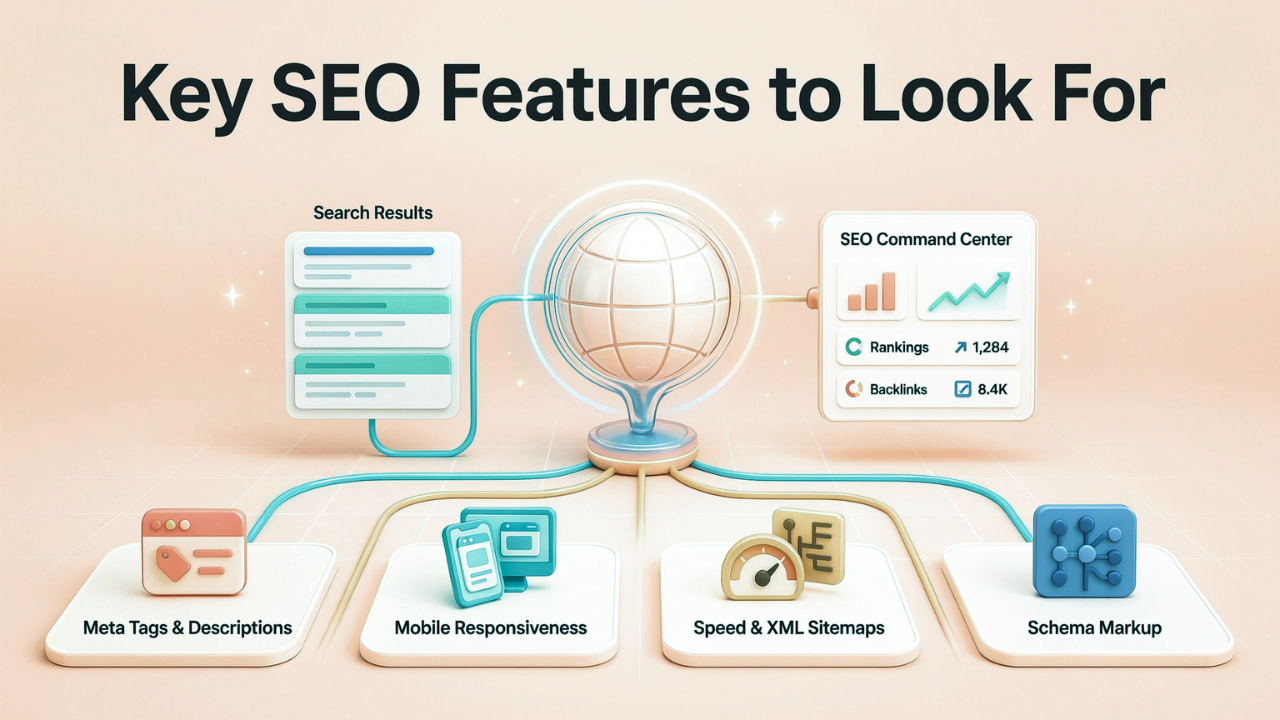
✔️ Meta Tags & Descriptions: The ability for AI to automatically suggest and implement keywords in your page titles and snippets.
✔️ Mobile Responsiveness: In a mobile-first world, your builder must ensure your site looks and functions perfectly on every screen size automatically.
✔️ Page Speed Optimization & XML Sitemaps: Search engines prioritize fast sites. Automated builders should compress images and generate sitemaps so Google can "crawl" and index your pages easily.
✔️ Schema Markup: This is the hidden code that tells search engines exactly what your content is (e.g., a product, a recipe, or a review), helping you earn those coveted "rich snippets" at the top of search results.
9 Top Automated Website Builder Tools With SEO Features
1. Webira
With little work, Webira, an AI-powered website builder, can plan, write, design, and construct entire multi-page websites. Using advanced AI, it handles content writing, layout design, graphics, and responsive formatting, all from a short description.

Key Features & Unique Selling Points
📌 Creates full multi-page websites automatically
📌 Writes content, designs layouts, and adds visuals using AI
📌 Built-in SEO setup (meta tags, clean structure, optimized code)
📌 Includes lead forms with direct email connection
📌 Supports multiple languages for wider reach
Best Use Case
Entrepreneurs who want a high-end, "finished" feel without hiring a designer or SEO agency.
2. Hostinger AI Website Builder
One of the most powerful yet reasonably priced AI builders out there is Hostinger AI Website Builder. The platform uses AI to create websites in minutes and includes an SEO assistant that handles key optimization tasks automatically.

Key Features & Unique Selling Points
📌 Finds and fixes broken links
📌 Easy connection with Google Search Console
📌 SEO preview to check how your site looks in search results
📌 Mobile-friendly templates that work well on all devices
Best Use Case: Small business owners looking for speed and integrated hosting
3. Dorik Al
In contrast to simpler AI builders, Dorik AI is a potent no-code website builder with sophisticated SEO features that give you more control over technical SEO while maintaining a user-friendly interface. It stands out as a flexible option for both beginners and professionals.

Key Features & Unique Selling Points
📌 AI website generator for full site creation in minutes
📌 AI content generation (headlines, paragraphs, meta descriptions)
📌 Advanced SEO control (meta tags, alt text, clean URLs, schema markup)
📌 Auto-generated sitemap.xml and editable robots.txt
Best Use Cases: Agencies and freelancers building sites for multiple clients.
4. Webflow (AI Site Builder)
As an Automated Website Builder, it’s widely used by professionals who want full control over design, structure, and optimization without relying on heavy templates.
One of Webflow's greatest advantages is the semantic HTML it produces, which facilitates more effective page crawling and indexing by search engines.

Key Features & Unique Selling Points
📌 Clean, SEO-friendly code for better indexing
📌 Full control over meta tags, URLs, and structured data
📌 Webflow Cloud for dynamic and flexible websites
Best Use Cases: Professional designers who want the speed of AI with pixel-perfect control.
5. Durable
Its all-in-one business ecosystem and the quickest AI website builders on the market, which can produce a fully functional, SEO-ready website in less than a minute, making Durable stand out.
Includes built-in tools like CRM, invoicing, and AI marketing features, making it ideal for users who want everything in one place.

Key Features & Unique Selling Points
📌 AI content tools for ongoing blog and SEO content
📌 Google Business Profile integration for quick setup
📌 Built-in CRM with email automation
📌 Invoicing system with Stripe integration
Best Use Case: Local service businesses (plumbers, lawyers, etc.) who need a site now.
6. SITE123
For beginners who want to quickly create a website without having to deal with complex design, SITE123 is an intuitive website builder. It follows a guided setup process choose your site type, add basic details, and your website is ready in minutes.

Key Features & Unique Selling Points
📌 Custom domain support
📌 Step-by-step guided setup
📌 Custom meta titles and descriptions
📌 Auto-generated XML sitemap
📌 301 redirects to protect SEO value
Best Use Case: Personal portfolios and simple non-profit sites.
7. ShopFunnels
Unlike traditional builders, it focuses on conversion-first design, helping users turn visitors into leads and customers. Shopfunnels combines website creation with marketing funnels, making it a strong choice for businesses focused on selling products, courses, or services online.

Key Features & Unique Selling Points
📌 Funnel-based pages and landing builders
📌 Templates designed for sales and conversions
📌 Built-in eCommerce features
📌 Fast-loading pages for better SEO
Best Use Case: eCommerce sellers and marketers who want to maximize profit margins and drive organic traffic to specific product funnels
8. Gamma
Both users and search engines will find pages that are easy to read thanks to Gamma AI's ability to produce well-structured content with clear formatting.
Although it isn't a complete website builder, it can be used to create shareable content, product showcases, and SEO-friendly landing pages.

Key Features & Unique Selling Points
📌 AI-generated pages from a single prompt
📌 Clean and SEO-friendly formatting
📌 Mobile-optimized, fast layouts
📌 One-click publishing with shareable links
📌 Editable SEO titles and descriptions
Best Use Case: Creators and educators building landing pages or resource hubs.
9. GetResponse Website Builder
With GetResponse Website Builder, you can quickly create a full website while keeping your email marketing, funnels, and automation in one location. It combines AI-powered site creation.
Your website, email campaigns, and lead data all work together, making it easier to track and grow conversions.

Key Features & Unique Selling Points
📌 AI-powered website creation
📌 SEO settings for titles and descriptions
📌 Drag-and-drop editor
📌 Full preview before publishing
📌 Built-in forms and pop-ups for leads
Best Use Case: Marketers building lead magnets and sales pages.
5 SEO Best Practices Regardless of Which Automated Website Builder You Use
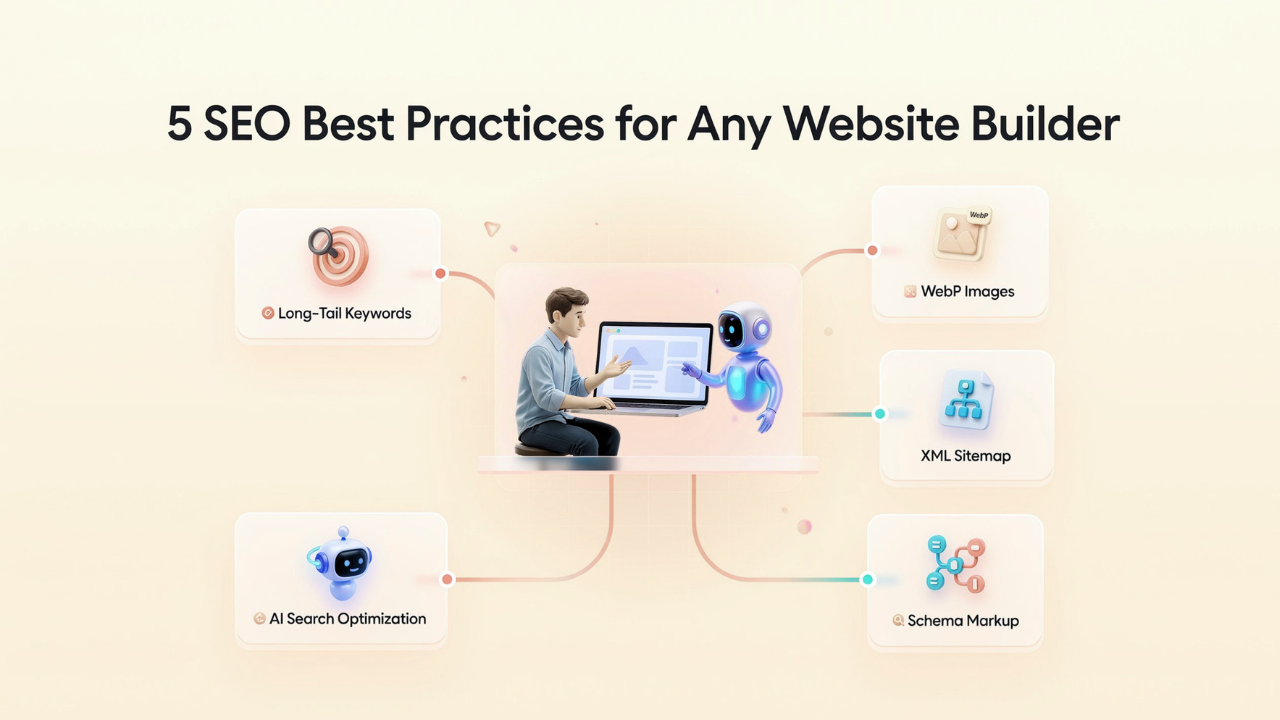
No matter which tool you choose, these five habits will keep you ahead of the algorithm:
1. Target Long-Tail Keywords in Titles and Headings
Use specific phrases (3–5 words) that match user intent. For example, instead of “shoes,” use “best running shoes for flat feet.”
Place your main keyword in the page title and H1 to improve rankings.
2. Use WebP Images
Your website is slowed down by large images. Before uploading, reduce the size of the images and use the WebP format for better quality. Both rankings and conversions are improved by the quicker pages.
3. Submit Your Sitemap to Google Search Console
After publishing your site, submit your XML sitemap in Google Search Console, and this helps Google discover and index your pages faster.
4. Use Structured Data (Schema Markup)
Schema helps search engines understand your content better. An automated website builder, it can improve your chances of showing up in rich results and AI answers.
Some tools, like Webira, can handle parts of this automatically, saving you time.
5. Optimize for AI Search (FAQs & Structured Content)
Search is shifting toward AI-driven answers, and to stay visible:
👉 Add FAQ sections 👉 Use clear headings 👉 Keep answers short and simple
You can also include an llms.txt file to guide AI crawlers on how to use your content.
Conclusion
Building a website is no longer complicated or expensive. With automated website builders, you can create a clean, professional, and SEO-friendly site without needing great technical skills.
But the real question is, what do you actually require?
If you want simplicity and speed → Webira (Go for an easy, fast builder )
If you want more control and scalability → Webflow (Choose a flexible, scalable platform)
The best choice is not the one with the most features. It’s the one that fits how you work, supports your goals, and helps people find your site easily.
So start small and try a free plan. Build your first version.
Then improve it step by step, especially your SEO settings from the beginning.
Your efforts today will benefit you in the future as well. It continues to work for you well into the future.
FAQs about Automated Website Builder Tools
Still have questions? Let’s clear them up in a simple way.
Q1: So, which automated website builder is best for SEO beginners?
Ans: Because it automates the entire website creation and SEO setup process, Webira is the best option for novices. For users of more established platforms, Wix provides a comparable degree of SEO automation.
Q2: How long does it take to rank on Google using an AI website builder?
Ans: There is no exact time. If your site has the proper setup, including good titles, fast loading times, a sitemap, and useful content, it may appear on Google within 2-4 weeks. Growth improves over time with regular updates.
Q3: Can AI-built websites really rank on Google?
Ans: Yes, they can, as Google focuses on helpful content and a good user experience. It doesn’t matter if your site is made by AI or a person; what matters is how valuable it is for users.